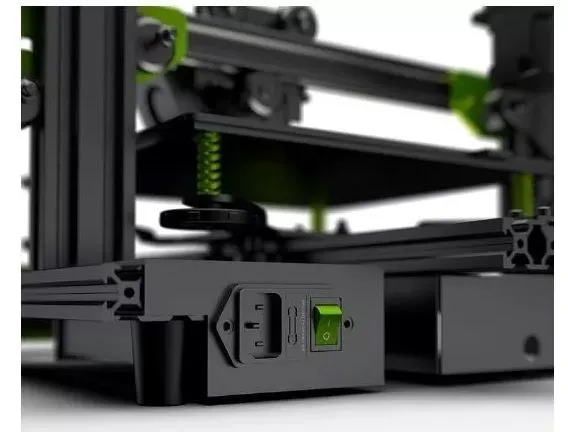
The Tevo Tarantula has become a popular choice for 3D printing enthusiasts due to its affordability and ease of use. However, like any 3D printer, achieving optimal print speed while maintaining quality can be a challenge. This guide delves into the key aspects of maximizing your Tevo Tarantula’s speed, offering practical tips and troubleshooting advice. By understanding the factors influencing print speed and implementing the right techniques, you can significantly reduce print times without sacrificing the quality of your final product. Let’s explore how to get the most out of your Tevo Tarantula.
Understanding Tevo Tarantula Speed
Tevo Tarantula speed is not a single, fixed value. It’s a complex interplay of various settings and hardware limitations. The printer’s speed is determined by how quickly the nozzle can move, extrude filament, and lay down each layer. Several factors influence this, and understanding these is the first step towards optimizing print speed. It’s crucial to balance speed with print quality because pushing the printer too fast can lead to layer shifting, poor adhesion, and other defects. Finding the sweet spot involves careful calibration, setting adjustments, and potentially some hardware upgrades. This balance is key to successful and efficient 3D printing.
Factors Affecting Tevo Tarantula Speed
Several factors significantly influence the Tevo Tarantula’s printing speed. Understanding these will enable you to make informed decisions and optimize your printer for faster prints. These factors range from software settings within your slicer to the mechanical limits of the printer itself. Correctly configuring these elements will dramatically improve the efficiency of your prints. For the best results, you should approach speed optimization systematically, considering all the variables at play.
Print Speed Settings

Print speed is the most obvious setting to adjust when trying to speed up your prints. Located within your slicer software (such as Cura or Simplify3D), the print speed setting controls how fast the nozzle moves across the print bed. However, it’s crucial to gradually increase this setting. Start with the recommended speed for your filament type, typically around 50mm/s, and incrementally increase it. Watch for signs of quality degradation, such as layer shifting or under-extrusion. Adjusting this setting is a balance between speed and quality. Print speed directly affects the total time a print takes, so finding the optimum value is essential for fast prints. Remember to consider the complexity of the model; intricate designs may require lower print speeds.
Acceleration and Jerk Settings
Acceleration and jerk settings control how quickly the printer’s print head changes speed and direction. Higher acceleration values mean the print head can reach its set speed faster, reducing print times. Jerk settings define the maximum rate at which the print head can change direction without causing mechanical stress or quality issues. Adjusting these settings can significantly impact print speed, but caution is necessary. Too high acceleration can lead to vibrations and ringing, while aggressive jerk settings may result in missed steps or mechanical noise. Fine-tuning these settings requires careful observation of your printer’s behavior and a willingness to experiment to find the optimal values.
Filament and Nozzle Temperature
The temperature of the filament and the nozzle plays a crucial role in print speed and quality. Printing at the correct temperature ensures the filament melts and extrudes smoothly, allowing for faster print speeds. If the temperature is too low, the filament won’t melt properly, leading to under-extrusion and poor layer adhesion. Conversely, excessive temperatures can cause the filament to become too runny, leading to stringing and blobs. Refer to your filament’s specifications for recommended temperature ranges and adjust accordingly. The correct temperature ensures optimal layer adhesion, and faster print speed. Fine-tuning the temperature in conjunction with other settings will help increase printing speed without sacrificing the print’s quality.
5 Ways to Boost Tevo Tarantula Speed

Optimizing the Tevo Tarantula’s print speed involves a multi-faceted approach, combining adjustments to the slicer settings with potential hardware upgrades and routine maintenance. Implementing the following strategies can considerably reduce print times while maintaining good quality. Each of these approaches targets different aspects of the 3D printing process, creating a comprehensive optimization plan. Combining these techniques will deliver the best results for high speed and high quality 3D prints.
Calibrating the Printer
Proper calibration is fundamental to achieving faster print speeds. Ensuring that your printer is accurately calibrated guarantees that the filament is extruded at the correct rate, and that the print bed is level. Calibration involves adjusting the printer’s bed level, setting the correct steps per millimeter for the extruder, and checking the belt tension. A well-calibrated printer provides a stable base for faster printing. Regularly check and recalibrate your printer to prevent speed-related problems. Accurate calibration helps to avoid common issues like layer shifting and poor adhesion, which can slow down the print process.
Optimizing Slicer Settings
Slicer software settings significantly impact print speed. The settings you configure in your slicer have a substantial effect on how fast your Tevo Tarantula can print. Beyond print speed, experiment with other settings like infill density, layer height, and retraction settings. Reducing infill density for parts that do not require solid construction can dramatically reduce print times. Increasing layer height may also speed up prints, but at the cost of detail. Fine-tune the retraction settings to minimize stringing and oozing, enabling the print head to move faster. By experimenting with these settings, you will be able to balance speed and quality. Be sure to save your optimized settings as a profile.
Choosing the Right Filament

The type of filament you use affects the print speed you can achieve. Some filaments are easier to print with at higher speeds than others. PLA is generally easier to work with at faster speeds due to its lower melting point and tendency to cool rapidly. Other filaments, like ABS or PETG, might require more careful temperature control and slower print speeds to prevent warping or poor layer adhesion. Choosing the right filament for your project can help in boosting speed. Ensure that the filament suits your desired print speed and quality, as this choice affects the overall printing process.
Upgrading Hardware
Hardware upgrades can significantly enhance the Tevo Tarantula’s speed capabilities. Upgrading certain components can improve the printer’s mechanical and thermal performance. Replacing the stock hotend with an all-metal hotend will allow you to print at higher temperatures and speeds. Upgrading the extruder to a direct drive system can improve filament feeding. Installing better quality stepper motor drivers and reducing the weight of the print head can also contribute to faster and more accurate movements. These enhancements will optimize your printer and enable faster printing. Consider these upgrades to push the limits of your 3D printer.
Maintaining and Lubricating the Printer
Regular maintenance and lubrication are essential for maintaining optimal print speeds. Keeping your printer well-maintained ensures that it runs smoothly. Regularly lubricate the rods and bearings to reduce friction and wear. Tighten any loose belts or screws. Check and clean the nozzle. A clean and well-maintained printer will move more efficiently, enabling faster and more reliable prints. Proper maintenance extends the life of your printer, so always prioritize the upkeep of your Tevo Tarantula.
Troubleshooting Common Speed Issues

Even with careful optimization, you might encounter speed-related issues. Knowing how to troubleshoot these common problems is essential. Common issues often manifest as quality defects or operational problems. The ability to identify and correct these issues will improve print speed and quality. Here are some common troubleshooting tips:
Layer Shifting and Poor Quality
Layer shifting can occur when the print head loses its position during a print. This is usually caused by excessive print speeds, loose belts, or insufficient motor current. Reduce the print speed, tighten the belts, and check the motor current to resolve this issue. Ensure that your printer is properly calibrated. Verify that the belts are tight and that there are no obstructions in the print area.
Stringing and Oozing
Stringing, or the appearance of thin strands of filament between print features, is usually caused by incorrect retraction settings or excessive nozzle temperature. Adjust the retraction settings and lower the nozzle temperature to reduce stringing. Stringing often occurs when the print head moves between different parts of a print. Ensure your slicer is properly configured.
Adhesion Problems

Poor adhesion can occur at high print speeds. Ensuring proper bed adhesion is important. Clean the print bed thoroughly, and apply an adhesive like glue stick or hairspray. Adjust the bed temperature as recommended for your chosen filament. Leveling your bed before each print is a must. Adhesion problems will directly affect the speed you can achieve. Proper bed preparation increases print reliability.
Conclusion
Optimizing the Tevo Tarantula for speed requires a comprehensive approach involving setting adjustments, calibration, and potentially hardware upgrades. By understanding the factors that influence print speed and implementing the strategies outlined in this guide, you can significantly reduce print times without sacrificing quality. Experimentation and continuous monitoring are key to finding the optimal settings for your specific needs and achieving the perfect balance between speed and print quality. Happy printing!